Note: SQL Test integrates directly with SQL Server Management Studio and provides alternative keyboard shortcuts for creating and executing tests.
You want to be able to run all your tests quickly, with a simple key combination.
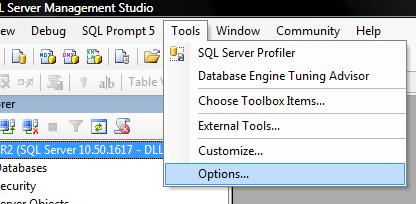
1. In SQL Server Management Studio, choose the Options from the Tools menu.
2. Choose Keyboard from the tree on the left.
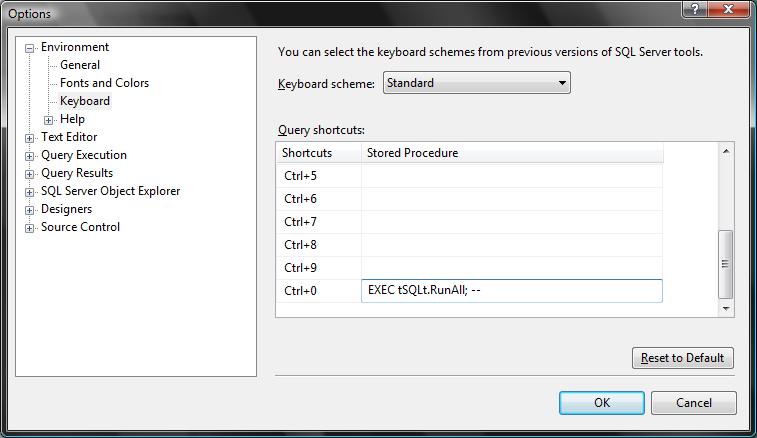
3. Enter the following into one of the hot-keys:
EXEC tSQLt.RunAll; --
4. Click OK. Hot-keys are only applied to new editor windows. So you may wish to close and re-open existing editor windows.
5. Press your hot-key to execute all the tests in your database.
 Facebook
 Twitter
 LinkedIn
 Reddit
 StumbleUpon
 Technorati
 Print
Print